Your Manual for a Casino Account

Why Setting Up Your Account Counts
Your gaming account is a lot more than an ID and password. View it as your digital passport to all games, offer, payment, and payout at TonyBet Casino. It also powers the protection features that safeguard your balance. When you submit correct personal information right from the outset, you skip delays later, notably during identity verification under Latvia’s gambling rules. We monitor for suspicious login attempts, password changes from unfamiliar devices, and strange transaction patterns at the account level, and a correct profile helps those systems do their job. Responsible gambling tools like deposit limits, session reminders, and voluntary exclusion are tied directly to your account, too. Handle your information as living data. Check it after you relocate, switch phone numbers, or modify a payment method. The decisions you make during setup influence every future interaction, so a thorough start keeps things smooth and secure.
Email Confirmation and Initial Login
After you submit the registration form, our system sends a unique verification email to the address you supplied. The message typically arrives within thirty seconds, but it can occasionally land in a spam or promotions folder, so check there if your inbox looks empty. Selecting the one-time confirmation link enables your account for real-money play. This step verifies you have access to the inbox and prevents bots from mass-creating accounts. Once your email is verified, go to the login page and type your username or email and password. During your first login, review your account settings carefully. Ensure that your name is spelled exactly as it appears on your ID, that your address is current, and that your phone number is correct. Fixing a typo now takes less than a minute, while finding an error during a withdrawal can add several business days to processing. Then you can collect your welcome bonus and make a first deposit.
Establishing a Strong and Memorable Password
Passwords are still one of the biggest security tools, so we implement sensible rules to secure your balance and personal data. Your TonyBet Casino password must be at least eight characters long, but we strongly recommend twelve or more. A strong password includes uppercase and lowercase letters, at least one number, and a special character. Stay away from predictable picks like “password123,” your birth year, or a pet’s name because those are simple to guess. We also advise you not to repeat a password from email or social media accounts. If another site gets hacked, attackers often test those stolen credentials on gambling platforms. A unique password limits that risk. Because complex passwords can be hard to remember, use a reputable password manager or create a passphrase from four unrelated words separated by symbols. Change your password regularly every six months, and keep in mind that we will never ask for it by email, live chat, or phone.
- Employ at least twelve characters with symbols.
- Never using again passwords from other sites.
- Save credentials in a password manager.
- Renew your password every six months.
Complete Registration Guide
We designed the TonyBet Casino registration form to collect only the essentials our licence needs while ensuring the process smooth. When you press the registration button, a single-page form asks for a valid email address and mobile phone number. We employ both channels for security notifications and account recovery. Next, choose a unique username and a strong password, and keep sensitive personal details out of your public username. Then input your full legal name exactly as it shows on your passport or ID card, your date of birth, and your residential address. Pay careful attention to the address because a discrepancy with later verification documents is a common reason for withdrawal delays. Finally, verify that you agree to our terms and privacy policy and that you fulfill the legal gambling age. After you submit, a verification link arrives in your inbox to unlock the account.
- Input your email address and phone number.
- Choose a unique username and password.
- Fill in your legal name, date of birth, and address.
- Accept the terms and verify your legal age.
- Click the verification link in your inbox.
Mobile Sign-In and the TonyBet Casino App Interface
Mobile play is common among Latvian players, and logging in from a phone or tablet is designed to be just as seamless as on desktop. Our mobile-responsive website works right in your browser without a download. If you prefer a dedicated app, the TonyBet Casino app delivers push notifications and biometric login. Fingerprint or facial recognition saves an encrypted token on your device rather than a password, making lost-phone access much more difficult. We still advise a few mobile-specific habits. Avoid logging in over public, unencrypted Wi-Fi; a cellular data connection is more secure. Activate your phone’s remote-wipe feature so you can cancel access if the device is lost. Keep a strong device passcode as a fallback, and be aware of shoulder surfing when entering your casino password in crowded spaces. Treat your phone as part of your casino security perimeter, and these simple steps maintain mobile gaming private and protected.
Understanding the Verification Process Process
Verification of accounts, also called KYC, is a compliance obligation for authorized gambling sites in Latvia, and we keep our procedure transparent. The process confirms that you are who you claim to be, that you are of legal age, and that your source of funds is legitimate. Withdrawals cannot be handled until verification is finished, so we recommend uploading documents as soon as your account is credited. We generally request a state-issued ID, such as a travel document or Latvian identity card, and a address verification document issued within the last three months. A household bill, bank statement, or official letter works well. We may also ask for evidence of your deposit method. Upload everything through the protected platform in your account dashboard, and our verification team assesses submissions in sequence. If a document is declined, we clarify the reason so you can amend and send again it without issue.
Handling Your Login Credentials
If you forget your password, click the “Forgot Password” link on the login page and input your registered email address. We will deliver a time-limited, single-use reset link to that inbox, and any existing sessions on other devices are automatically terminated once you set a new password. If you cannot remember the email address itself, contact our support team. Our agents will verify your identity using your full name, date of birth, and other profile details https://en.wikipedia.org/wiki/Magnus_Carlsen before disclosing contact information. This manual step prevents social engineering attacks. Many players alternate between desktop and mobile, and we allow multi-device logins. When you sign in from a new device, we may send a code to your email or phone. You can examine all trusted devices in your security dashboard and remotely log out of any session that looks unfamiliar. Remove access immediately if you sell a device, and avoid storing plain-text password files on your desktop.
Dual-Factor Authentication and Extra Security
Two-factor authentication, or 2FA, adds a robust layer of safeguarding beyond your password. When 2FA is turned on, logging in demands something you know (your password) and something you have (usually a six-digit code from an authenticator app on your phone). That means an attacker would need both your password and physical access to your device. Setup needs only a few minutes: go to the security tab, scan a QR code with Google Authenticator or Authy, and confirm a test code. We also supply one-time backup codes during setup, so store them offline in a safe place. If you lose your phone, those codes let you regain access. Behind the scenes, our system also tracks device fingerprints, IP geolocation, and login patterns. If an unfamiliar device or country appears, we may temporarily lock the account and alert you by email and phone. Always log out on shared devices and never let a browser save your password on public equipment.
Typical Login Issues and How to Fix Them
Many login problems come with simple fixes. A “login failed” message is frequently caused by an accidental Caps Lock or an outdated stored password in your browser. Enter your password manually, and review Caps Lock and Num Lock. After five incorrect attempts, our system applies a temporary lock, so wait fifteen minutes or click the “Forgot Password” link to reset immediately. If the login page fails to load, erase your browser cache and cookies or test a different browser. Workplace and public Wi-Fi networks can restrict gambling-related domains, so switch to mobile data if needed. Players who never clicked the email verification link can also be locked out of certain features. Inspect your inbox and spam folder for the original message, or contact support to resend it. Our live chat team operates around the clock to diagnose persistent account-specific issues.
- Check Caps Lock and type manually.
- Erase cache or change network.
- Contact support for a verification email.
Keeping Your Data Safe in Daily Use
Everyday security habits create a real difference. Consistently log out manually after a session, notably on shared devices, since closing the tab does not constantly end the server-side session. Watch out with screenshots of big wins; hide or crop out your account balance, username, and other personal details. Be alert for phishing emails that mimic TonyBet Casino branding and ask you to validate or unlock your account. Formal messages come only from our genuine domain, so refrain from entering your password through unexpected links. Ensure your computer, mobile operating system, browser, and authenticator apps updated, since security patches close known vulnerabilities. Should you suspect someone accessed your account, update your password immediately, revoke all active sessions from the security dashboard, and contact support so we can place a temporary freeze on withdrawals. A few cautious habits can prevent most threats before they affect your balance. Quick action is your best ally when something feels off.
Safe Gambling Tools Tied to Your Account
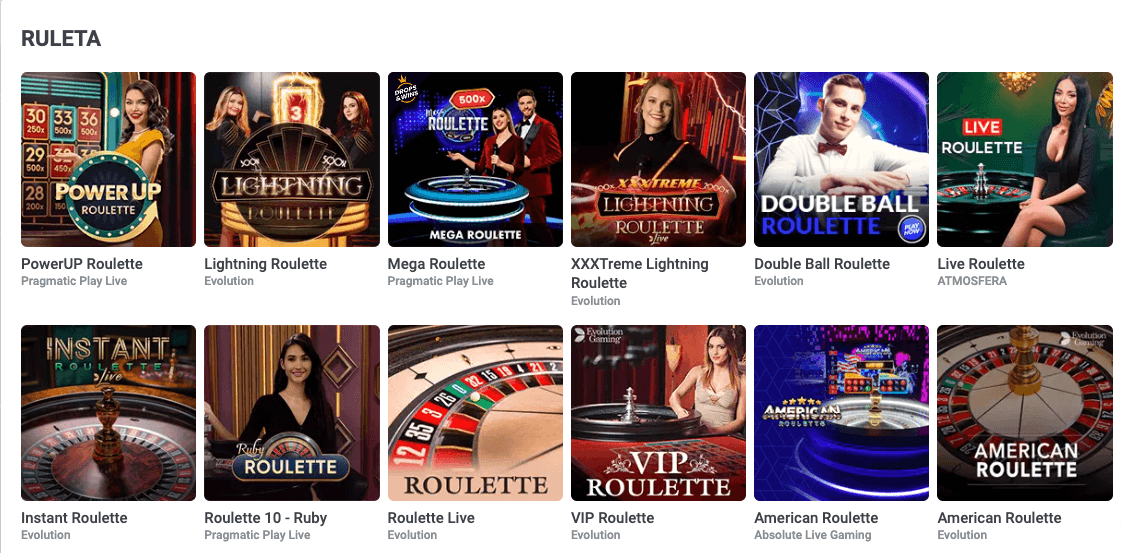
Your TonyBet Casino account offers responsible gaming tools that help you keep entertainment within clear boundaries. In your account settings, you can establish deposit limits per day, week, or month. When you reach the limit, the system prevents further deposits until the next cycle; this is a hard technical restriction, not just a notification. Session time reminders can pop up after a set number of minutes, and a reality-check feature can display your net win or loss for the current session. We also offer cooling-off periods ranging from 24 hours to six weeks, as well as longer self-exclusion options. Should you opt for self-exclusion, your account is suspended and any remaining balance is returned in line with our withdrawal policy. Restoring access after self-exclusion necessitates a support request and a required cooling-off period. These settings are implemented instantly and privately. Employing them early is a mark of wise, responsible gambling, and they are accessible anytime you need them.
How We Support You When You Need Help
Our customer support team is here to handle login problems, verification questions, and security concerns quickly. The fastest option is our 24/7 live chat widget, which is accessible even from the login page if you cannot enter your account. Chat agents can conduct limited identity verification and assist you with recovery steps. For less urgent matters, email support gets back within a few hours, and our help centre contains searchable articles on bonus terms, documents, and account settings. When contacting us, keep your registered email address ready, but do not send your password or full card details. Our agents will never ask for them. We also appreciate player feedback; if a step seems unclear, tell us so we can make it better. Latvian-language support is provided for native speakers, and we handle every interaction with respect. Knowing that a human team stands behind your account gives you confidence to focus on enjoying the games.
From registration to daily login, every part of your TonyBet Casino account is built to be clear and secure. We have discussed the sign-up form, email verification, document checks, password habits, two-factor authentication, responsible gaming tools, mobile access, and common fixes. By using these practices consistently, you secure both your personal data and your funds. We urge you to keep your contact details current, examine your security dashboard after any device change, and use the responsible gaming tools whenever you need them. A few minutes of careful account management can avoid hours of frustration later. Our support team is available around the clock, and our security systems work silently in the background, but the most critical element of a safe account is an informed player. We expect this guide serves as a clear, practical reference for your casino experience in Latvia, and we look forward to supporting you whenever questions arise.
Frequently Asked Questions
How do I create an account at TonyBet Casino?
Press the sign-up button on our main page and fill out the one-page form. We request your email, phone number, full name, date of birth, and residential address. You also choose a username and a robust password. Following acceptance of the terms, a verification email is dispatched to your email. Open the link within to activate your account, after which you can deposit and start playing.
What documents are required for account verification?
Generally we ask for a clear image or scan of a government ID, for example a passport or Latvian identity card, and a recent proof of address like a utility bill or bank statement issued within three months. We might also request evidence of the payment method you utilized. Upload these using the safe portal found in your account dashboard.
What causes my account to be locked after unsuccessful login attempts?
After five consecutive incorrect password attempts, our system applies a temporary lock to prevent brute-force access https://tonybet-kazino.lv/login/. The lock typically lifts after fifteen minutes, but we advise using the Forgot Password link to reset your password right away. This is more efficient than waiting and trying again.
Is it possible to access my TonyBet Casino account from several devices?
Yes, you can log in from a desktop, tablet, or mobile phone. As a security measure, we may require you to authenticate a new device with a code delivered to your email or phone. You can manage and revoke trusted devices from your security dashboard, and we recommend doing so if a device is lost or sold.
How do I turn on two-factor authentication?
Log in, open the security settings tab, and select two-factor authentication. Use an authenticator app such as Google Authenticator to scan the QR code, input the test code displayed in the app, and confirm. Once enabled, you will need a current code from your phone every time you log in from a new device.
What should I do if I suspect someone else accessed my account?
Update your password instantly if you still have access. If you cannot log in, contact our 24/7 live chat team urgently. We can temporarily suspend your account to stop unauthorized withdrawals. Once you are back in control, cancel all active sessions from the security dashboard and examine your recent transaction history for unknown actions.